Showing posts with label apple inc.. Show all posts

Thursday, 11 October 2012

YouTube for iOS Review

Apple's most recent iOS 6, most notable for the seemingly "horrific" new Maps app (which we disagree with, right here), is doing away with any ties to Google. The YouTube app is gone (okay, I admit, that app was bad, very bad), but unlike Maps, nothing was left to fill the void. So Google came out and quickly rolled out its new and improved YouTube app.

The new YouTube app

How does it look?

After signing in with your Google account, you'll see typical Google. Very minimalistic, with a simple list of videos from your subscription box which sport huge icons along with a search button and sidebar. That's pretty much all there is. When watching a video, you can now view a video while reading the comments or description. Turning your device automatically hides the description and puts you in full screen mode. It works pretty much exactly how you expect, and in this regard, Google has done a great job.

New YouTube App Subscriptions
Old YouTube App Subscriptions
New YouTube App Video
Old YouTube App Video (Hint: You can't
watch a video and read the
description at the same time


Performance

One thing that really bothered me to no end with Apple's Youtube app was that no matter how bad my connection speed was (and it's notoriously bad in my area), it insisted on playing the high quality video wherever possible. This meant that I couldn't watch a video without it constantly buffering, frustrating me to the point of giving up. Thankfully, Google's new YouTube app knows better than to download more than it can handle, and uses standard quality whenever connection speeds are slow.

Long way to go

Unfortunately, after the first few weeks, letting the excitement of the new app settle down, I've come to realize that all that praise ends there. Google has a long way to go with their YouTube app to be really killer. What about annotations? Back in 2007 when the original YouTube app was made, there were no annotations, and its understandable that they were never included back then. But there are a lot of YouTubers nowadays who make really high quality videos now and many like to include links in their videos for easy access. To those on mobile devices, there's absolutely no ways of seeing annotations. It's really a major let down for the YouTube addicted like myself.

Usability could also be improved as well. Categories are stored underneath subscriptions in the side bar. That's a huge mind blank by Google. What if I have 300 subscriptions? I'm going to scroll forever every time I want to choose a category. And those video icons. I initially thought I'd like the size, but they take up literally half the screen. That's not really surprising, because their desktop YouTube page is notorious for being very unorganized.

Conclusion

Don't confuse the fact that I spent half this review ranting about the new YouTube app. It works just fine and watching YouTube videos works just perfectly. It's just that YouTube has been around for the entire life of the iPhone, it's a little frustrating that their isn't a way of watching YouTube videos on a mobile device that feels like a pleasurable experience. But it's exactly what you expect, and it's definitely hands down better than Apple's five year old app. But personally, I'm going to stick with the mobile web app.

Saturday, 6 October 2012

EarPods

After 3 years of developing, Apple have finally released new in ear headphones called EarPods. Accompanying all iPhone 5 and other next gen purchases from Apple, this new innovation has quite a noticeable new and improved sound.


Whats new

Unlike the traditional, circular earphones, the new and exciting design of the new Apple EarPods is defined by the shape and geometry of the ear itself. This quality allows the device to become noticeably more comfortable for more people than any other earbud-style headphone.

Thankfully, not only the appearance of the innovation has enhanced, but the sound quality has improved also. The speakers inside Apple EarPods have been engineered to minimize sound loss and maximize sound output. The EarPods output a deeper, richer bass tone unlike the hard bass given by the older versions, so essentially you get high-quality audio that’s just as impressive as what you’d hear from more expensive headphones such as Beats my Dr Dre, for $30.

Audio controls as well as calling controls are still a feature which also allows audio and video playback.


Personal opinion

The EarPods release a pleasant sound with better bass and a clean sound. I have noticed they are designed to rest inside your ears instead of sealing inside and became tedious and myself and others in my social group found the earphones would tend to fall out from the slightest of movements.

Definitely hold on to your previous earphones for my active uses such as exercising and keep EarPods aside for transport uses or in your household.

The EarPods are a great, cheap set of earphones as a free accessory with next gen products from Apple or for enjoying music on a budget as they are only $30, although I personally prefer more expensive products which allow me to enjoy my music wherever I go.

Sound : 8/10 
Mobility: 6/10
Comfort: 8/10


Monday, 1 October 2012

iOS6 Maps: they're not THAT bad

For quite some time now, I've been using iOS6; over all, it's a slight improvement on iOS5. It's not a big change, but there are a few new features I've come to use everyday. It's fast, looks great on iPhone 5 and certainly makes a great mobile operating system. 

But, there's one thing about it that everyone is talking about more than everything else:

Maps

It's interesting that Maps on mobile devices has become one of the most important features of any phone. Even more interesting is the fact that including Maps on the first iPhone was a last-minute decision (http://9to5mac.com/2012/09/28/including-maps-on-the-original-iphone-was-a-last-minute-decision/). 

Apple's new maps are iOS6 exclusive, and offer some new features that haven't been seen on iOS before: namely, turn-by-turn navigation, flyover, and Yelp integration. 

These maps excel where most maps don't: they look great! Unfortunately, where maps need to excel - accuracy, and reliability - Apple fails: sometimes tremendously. The use of vector based graphics make imagery fast, pleasant to look at, and they consume far less data than other mapping services. However, accuracy leaves a lot to be desired. Some people have noted that their home is in the middle of a river, or their closest cafe is in New York (for someone living in Sydney, it's not that useful). Something adding irony to the arena of criticism is the location of Apple's flagship Sydney store:
The apparent location ofApple's Sydney Store (the purple pin is the actual location)
Flyover
I've spent a lot of time visiting many cities around the world with Flyover. It's obvious that Apple has spent a lot of time and effort on these 3D maps of hundreds of cities around the world. Here's a few good screenshots:


CBD, Sydney
Empire State Building, New York
Houses of Parliament, London 
CBD, Sydney
One that isn't so great:
Western Distributor, Sydney

Turn-byTurn Navigation
It has been reported that the reason Apple ditched Google Maps was that Google refused to make turn-by-turn navigation available to Apple. Apple's version seems to work well. Other than directing me down the wrong way of a one-way street, I haven't had any problems with it.
Directions from Sydney to Chatswood.
Yelp Integration
It's nice to see local businesses on these maps, and their contact cards flow nicely; providing reviews, photos, and contact methods, all unified into one place. 
A contact card for a local cafe
Conclusion 
In the end, Apple has made a genuine attempt to make a beautiful, accurate mapping service, in some cases, they succeed; in others, they don't. 

Personally, I think that for a first attempt, Apple has done an authentic job. With a lot of work and effort, Apple can once again call these maps the most beautiful, powerful mapping service ever.


Before and after the Maps disaster


Friday, 28 September 2012

Magic Mouse

The Magic Mouse
One of Apple's lesser known devices is their Magic Mouse. This device is small, powerful, and probably my favourite accessory with my Mac. Since OS X Lion, Apple has included many different gestures to achieve a myriad of different tasks. 

With a Mac's trackpad, you can achieve all these different tasks - zooming, scrolling, switching between different full screen apps, launching Mission Control and Launchpad, to name a few - however, you're still limited to a small workspace area: Mac trackpads are big (when compared to other notebooks), but they're still not as easy to use as a mouse. 

Cue the Magic Mouse. This device really is amazing, so much so that I can't find anything bad to report about it.


Gestures on the Multi-Touch mouse
The touch-top of the mouse makes performing all the above gestures so much easier. You can do almost everything the trackpad can do; without the limitations. Scrolling is as easy as moving your finger up and down the top of the mouse - no annoying click-wheels -, it's smooth and fast. The design (although I was skeptical at first) really feels nice to hold. It's very different to the average mouse, and that's good. Rather than attempting to mould your hand around it, it appears to be designed in such a way that it gets out of the way and just lets you do what you want it to do. 


Magic Mouse with iMac
Magic Mouse battery compartment
As with most Bluetooth devices, battery life is always a problem. From what I've experienced with this mouse, battery life really isn't a problem. With a standard lithium ion battery, I manage to get about 3 months use, that's with having it on almost all day, every day. 

The laser sensor on the mouse works really well, too. I've tried it on almost every surface in my house, and I'm yet to find a surface that it won't work on, or at least partly work on. 


Concluding, this mouse is a must for anyone with a Mac, it works really well (as you'd expect) with everything on a Mac computer and for AUD$79.99, it's definitely a good investment. 


Tuesday, 25 September 2012

5 Days With iPhone 5

Hi everyone, Jack here;

Today marks my fifth day with Apple's newest product to hit the market. Personally, I think five days is more than enough time to make my assumptions and decide if those hours waiting in line were worth it or not. 

Apple's new iPhone 5 in black & slate and white & silver (image credit: Apple.com)

So firstly, some history. For the three years leading up to Friday the 21st of September 2012, I had been using an iPhone 3GS. It had done me very well for those three years: but I was well overdue for an upgrade. The front and back panels were falling apart, the battery rarely lasted more than two hours, it took almost a minute to open Safari (or any app, for that matter), the screen was overwhelmingly scratched, and the camera could barely make out the silhouette of an office tower... But amazingly, it still worked!

Understandably, after the setup process with my new iPhone, I was pleasantly relieved when I could use Safari in less than a second. And I use 'pleasantly' as a big understatement.

I'll give the iPhone 5 a rating out of 10 for the following key aspects; setup, display, battery, speed, and software; 

On with the show:

Setup: 10/10
There's been a lot of people complaining about iCloud and it's myriad of problems: I didn't encounter any. It was as easy as signing in to my Apple ID and tapping 'Backup from iCloud.' It was all done. All my photos, contacts, messages, apps, settings... Everything was just there. 


All your content and settings from a previous iPhone are restored to your new iPhone in these two screens (image credit: About.com)

Display: 9/10
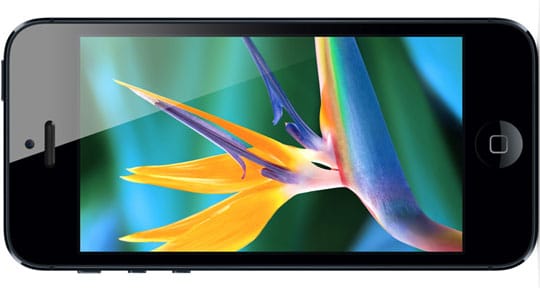
I was amazed with this display, it really looks like the icons are sitting on top of the screen, rather than under it. There's really nothing more to say other than 'wow.' Now, again, I have been witheld from the retina display for the past three years, so perhaps my analysis of this aspect of iPhone 5 is biased; but if you take away something we're all used to now, you'd really notice the difference. After comparing this screen to my 3GS, there really was no competition. 
Apple's Retina Display offers clear, sharp, and precise image and resolutions (image credit: RS Web Solutions)

Battery: 6/10
Unfortunately, I believe the battery is the ultimate downfall of iPhone 5. LTE and all the different system services definitely drain this battery. I can just manage a day on the battery; by the time I go to bed, it's at 5%. 
The battery (I believe) is the ultimate drawback of iPhone 5 (image credit: ultrasn0w.ca)

Speed: 9/10
Just like the display, I am partially biased with this component of iPhone 5; however, even when comparing 5 to 4S, it's possible to feel how much faster it is. LTE is astonishingly fast, so much so that I found myself complaining about the slow network when LTE was unavailable in my location and it fell back to 3G.
LTE (Long Term Evolution) offers super-fast cellular networking with (theoretical) speeds up to 40Mbps (image credit: GottaBeMobile)

Software: 7/10
iOS has proven to be one of Apple's major successes. Released in 2007, it's proven to outperform many other mobile OSs: until recently. It's been over 5 years, and the aesthetics have remained largely unchanged. It's still the same grid of icons (albeit with another row added) and the system apps are the same as they were in 2007. Personally, I think iOS is beginning to show it's age. Other than aging, it's a great OS, the App Store is really the pulling point of iOS and without that, I think it's unlikely that iOS would still be as popular as it is. 
Apple's iOS 6 is available for iPhone, iPad, and iPod touch (image credit: Engadget)


Overall score: 41/50 or 82%

So, to answer the ultimate question: yes, I think it was worth waiting in line for hours to get my hands on one. But Apple had best make the iPhone 6 one amazing phone for me to do it again.

BONUS: iPhone 5's new trailer by Apple: